Custom Search
Showing posts with label Project. Show all posts

Wednesday, March 21, 2012

Weekend Project: Take a Look at Cron Replacement Whenjobs


The cron scheduler has been a useful tool for Linux and Unix admins for decades, but it just might be time to retire cron in favor of a more modern design. One replacement, still in heavy development, is whenjobs. This weekend, let's take a look at whenjobs and see what the future of scheduling on Linux might look like.


The default cron version for most Linux distributions these days is derived from Paul Vixie's cron. On Ubuntu, you'll find the Vixie/ISC version of cron. On Fedora and Red Hat releases you'll find cronie, which was forked from Vixie cron in 2007.


You can also find variants like fcron, but none of the variants that are around today have really advanced cron very much. You can't tell cron "when this happens, run this job." For instance, if you want to be notified when you start to run low on disk space, or if the load on a machine is above a certain threshold. You could write scripts that check those things, and then run them frequently. But it'd be better if you could just count on the scheduler to do that for you.


There's also the less than friendly formatting to cron. When I've worked in hosting, I found plenty of cron jobs that were either running too often because the owner mis-formatted the time fields, or that didn't run as often as expected for the same reason. Back up jobs that should have been running daily were running once a month. Oops.


Getting whenjobs


Red Hat's Richard W.M. Jones has been working on whenjobs as "a powerful but simple cron replacement." The most recent source tarball is 0.5, so we expect that it's starting to be usable but still has some bugs. (And it does, more on that in a moment.)


A slight word of warning, you're probably going to need a lot of dependencies to build whenjobs on your own. It doesn't look to be packaged upstream by any of the distros, including Fedora. It also requires a few newer packages that you're not going to find in Fedora 16. I ended up trying it out on Fedora 17, and installing a slew of OCaml packages.


To get whenjobs, you can either grab the most recent tarball or go for the most recent code out of the git repository. You can get the latest by using git clone git://git.annexia.org/git/whenjobs.git but I'd recommend going with the tarball.


Jones recommends just building whenjobs with rpmbuild -ta whenjobs-*.tar.gz. (Replace the * with the version you have, of course.) If you have all the dependencies needed, you should wind up with an RPM that you can install after it's done compiling.


Using whenjobs


To use whenjobs, you'll need to start the daemon. Note that you don't start this as root, you want to run it as your normal user.


According to the documentation, you want to start the daemon with whenjobs --daemon, but Jones tells me this isn't implemented just yet. Instead, you'll want to run /usr/sbin/whenjobsd to start the daemon. You can verify that it's running by using pgrep whenjobsd. (Eventually you'll be able to use whenjobs --daemon-status.)


To start adding jobs to your queue, use whenjobs -e. This should drop you into your jobs script and let you start adding jobs. The format is markedly different than cron's, so let's look at what we've got from the sample whenjobs scripts.

every 10 minutes :<< # Get free blocks in /home free=`stat -f -c %b /home` # Set the variable 'free_space' whenjobs --type int --set free_space $free>>when changes free_space && free_space < 100000 :<< mail -s "ALERT: only $free_space blocks left on /home" $LOGNAME >

Jobs start with a periodic statement or a when statement. If you want a job to run at selected intervals no matter what, use the every period statement. The period can be something like every day or every 2 weeks or even every 2 millenia. I think Jones is being a wee bit optimistic with that one, but on the plus side – if whenjobs is still in use 1,000 years from now and it doesn't run your job, Jones probably won't have to deal with the bug report...


Otherwise, you can use the when statement to evaluate an expression, and then perform a job if the statement is true. See the man page online for all of the possible when statements that are supported.


As you can see, you can also set variables for whenjobs. It accepts several types of variables, such as ints, strings, booleans, and so forth. You can see and set variables using whenjobs --variables or whenjobs --set variable.


The script for the job is placed between brackets (<< >>). Here you can use normal shell scripts. The scripts are evaluated with the $SHELL variable or /bin/sh if that's not set. Presumably you could use tcsh or zsh instead if you prefer those.


If you want to see the jobs script without having to pop it open for editing, use whenjobs -l. You can use whenjobs --jobs to see jobs that are actually running. If you need to cancel one, use whenjobs --cancel serial where the serial number is the one given by the whenjobs --jobs command.


A cron Replacement?


I don't think whenjobs is quite ready to be rolled out as a cron replacement just yet, but it's definitely worth taking a look at if you've ever felt frustrated with cron's limitations. It will probably be a while before whenjobs starts making its way into the major distros, but if you're feeling a little adventurous, why not start working with it this weekend.


This post was made using the Auto Blogging Software from WebMagnates.org This line will not appear when posts are made after activating the software to full version.

Weekend Project: Take a Look at Wine 1.4


The Wine project has released stable version 1.4 of its Windows-compatibility service for Linux (and other non-Microsoft OSes), the culmination of 20 months' worth of development. The new release adds a host of new features, including new graphics, video, and audio subsystems, tighter integration with existing Linux, and improvements to 3D, font support, and scripting languages.


In the old days, WINE was capitalized as an homage to its ultimate goal: Wine Is Not an Emulator. Rather, it is an application framework that provides the Windows APIs on other OSes — primarily Linux and Mac OS X, but others, too (including, if you so desire, other versions of Windows). The point is that you can run applications compiled for Windows directly in another OS. Unlike virtual machine solutions, you do not also have to purchase a copy of Windows to do so, and the lower overhead of a VM-free environment gives better performance, too.


Version 1.4 was released on March 7, about two years since the previous major update, Wine 1.2. Microsoft did not roll out a new version of Windows in the interim, so understandably the Wine project has had time to undertake plenty of changes of its own.


New: Multimedia, Input, and System Integration


The biggest change is a true "device independent bitmaps" (DIB) graphics engine. This engine performs software graphics rendering for the Windows Graphics Device Interface (GDI) API, which Wine has never supported before. Note, however, that Windows offers lots of different graphics APIs. Wine already had support for the better-known Direct3D and DirectDraw APIs, which also received a speedup. Still, the result of the new engine is considerably faster rendering for a variety of applications. The DIB code was actually developed by Transgaming, one of the commercial vendors that makes use of Wine in its own product line.


Windows also offers multiple audio APIs, the newest of which is MMDevAPI, which was introduced in Windows Vista. Wine 1.4 sports a rewritten audio architecture that implements this new API, and supports several audio back-ends: ALSA, CoreAudio, and OSS 4. Support for older back-ends like OSS 3 was dropped, as was support for AudioIO and JACK. PulseAudio, which is now the default in many desktop Linux systems, is supported through its existing ALSA compatibility. The project would like to restore JACK functionality, but it needs developers to help do so; similarly there is a side project to write direct support for PulseAudio, but it has yet to make it into the mainline code base.


Wine also uses the GStreamer multimedia engine for audio and video decoding, which gives Wine apps automatic support for every file format known to GStreamer. There are X improvements in 1.4 as well, most importantly support for XInput 2. XI2 should fix cursor-movement problems with full-screen Windows programs, as well as support animated cursors and mapping joystick actions. Finally, the new release uses XRender to speed up rendering gradients.


The new release also better integrates the Windows "system tray" (which many applications running under Wine will expect to exist) with Linux system trays, and even supports pop-up notifications. Wine also has support for applications that use several additional programming languages (including VBScript and JavaScript bytcodes), plus support for both reading and creating .CAB "cabinet" archives and .MSI installers. There is also a built-in Gecko-based HTML rendering engine (which should make HTML-and-CSS-based programs more reliable than the Internet Explorer-based renderer found in Windows...).


Enhanced: 3D, Text, Printing, and Installing


As mentioned above, Wine's support for Direct3D and DirectDraw both received enhancement for 1.4. OpenGL is used as the back-end for both; a more detailed look at the capabilities and benchmarks can be found on Phoronix.


The font subsystem received a substantial make-over for 1.4, too. The big news is full support for bi-directional text (including shifting the location of menus, dialog box contents, and other UI elements when using right-to-left text), and full support for vertical text (such as Japanese). Rotated text is also supported, and the rendering engine is improved.


The project claims full support for Unicode 6.0's writing systems, although that definitely does not mean that every language in Unicode can be used in Wine. However, there have been significant improvements to the localization effort — more locales are supported, and every UI resource (from strings to dialogs to menu entries) is now in a gettext .po file. So if your language is not supported yet, now is the time to get busy translating!


Printing improvements include directly accessing CUPS as the printing system (previous versions of Wine piped print jobs through lpr) and a revamped PostScript interpreter. The software installer has also been beefed up; it can now install patch-sets (which are very important for applying security updates) and roll-back previous installations. Considering that most Wine users deploy the framework for a smallish set of specific applications, this installer functionality is very handy.


Finally, the new release adds some "experimental" features that not everyone will find to be their cup of tea, but show promise in the long run. First, there is support for some new C++ classes from Microsoft, as well as expanded XML support, and Wine's first implementation of OpenCL (which allows developers to write code that runs on both CPUs and GPUs). Wine also compiles on the ARM architecture for the first time. Windows is not a major player on ARM, but the tablet version of Windows 8 is poised to make a push on ARM this year, so having Wine ready is an important step for the project.


Application Support, Caveats, and Where We Go Next


Naturally enough, Wine for ARM is not as thoroughly tested as Wine on x86. But the new release does still support many more applications than did Wine 1.2. You can find the complete list on the Wine app database — just be aware that individual user reports are the source of most of the compatibility information. It is not as simple as running a static test to see whether or not application X is supported. That said, one of the major bullet points of Wine 1.4 is robust support for Microsoft Office 2010, so if you run Wine to ensure document compatibility with Windows-based friends, you are in good hands.


There are two caveats to be noted with this release. First, although ALSA-over-PulseAudio is a supported audio back-end (and indeed is probably the most common configuration), you should check your version numbers. Some users have reported iffy sound behavior when running pre-1.0 PulseAudio and pre-1.0.25 alsa-plugins.


Second, although standard hardware devices like keyboards, mice, and external peripherals work fine, Wine still does not have support for installing and using Windows USB drivers. This only applies to unusual hardware that requires a separately-installed Windows driver, so it probably does not affect you, but be forewarned. On the other hand, if you have a weird barcode scanner or infrared USB laser that you must use with Windows drivers, there is an external patch set available.


On the same front, if the application you need Wine support for is causing problems, there are some external tools available that help you locate and install add-ons to round out the experience. Many of these add-on options are not free software, so they cannot be shipped with Wine itself, but if you are in dire straits, you might want to check out PlayOnLinux and WineTricks.


Interestingly enough, openSUSE community manager Jos Poortvliet just published a detailed report on using Wine for gaming, in which he discusses both add-on tools. Primarily, however, the emphasis is on how well Wine works on a modern Linux distribution, and the verdict is pretty good. Considering that 27 of the top 30 entries in the Wine compatibility matrix are games, providing a good experience is critical. Although there are probably some people who use Windows for other tasks, too, if you know where to look.


This post was made using the Auto Blogging Software from WebMagnates.org This line will not appear when posts are made after activating the software to full version.

Sunday, March 11, 2012

Weekend Project: Take a Look at Cron Replacement Whenjobs

The cron scheduler has been a useful tool for Linux and Unix admins for decades, but it just might be time to retire cron in favor of a more modern design. One replacement, still in heavy development, is whenjobs. This weekend, let's take a look at whenjobs and see what the future of scheduling on Linux might look like.

The cron scheduler has been a useful tool for Linux and Unix admins for decades, but it just might be time to retire cron in favor of a more modern design. One replacement, still in heavy development, is whenjobs. This weekend, let's take a look at whenjobs and see what the future of scheduling on Linux might look like.

The default cron version for most Linux distributions these days is derived from Paul Vixie's cron. On Ubuntu, you'll find the Vixie/ISC version of cron. On Fedora and Red Hat releases you'll find cronie, which was forked from Vixie cron in 2007.

You can also find variants like fcron, but none of the variants that are around today have really advanced cron very much. You can't tell cron "when this happens, run this job." For instance, if you want to be notified when you start to run low on disk space, or if the load on a machine is above a certain threshold. You could write scripts that check those things, and then run them frequently. But it'd be better if you could just count on the scheduler to do that for you.

There's also the less than friendly formatting to cron. When I've worked in hosting, I found plenty of cron jobs that were either running too often because the owner mis-formatted the time fields, or that didn't run as often as expected for the same reason. Back up jobs that should have been running daily were running once a month. Oops.

Getting whenjobs

Red Hat's Richard W.M. Jones has been working on whenjobs as "a powerful but simple cron replacement." The most recent source tarball is 0.5, so we expect that it's starting to be usable but still has some bugs. (And it does, more on that in a moment.)

A slight word of warning, you're probably going to need a lot of dependencies to build whenjobs on your own. It doesn't look to be packaged upstream by any of the distros, including Fedora. It also requires a few newer packages that you're not going to find in Fedora 16. I ended up trying it out on Fedora 17, and installing a slew of OCaml packages.

To get whenjobs, you can either grab the most recent tarball or go for the most recent code out of the git repository. You can get the latest by using git clone git://git.annexia.org/git/whenjobs.git but I'd recommend going with the tarball.

Jones recommends just building whenjobs with rpmbuild -ta whenjobs-*.tar.gz. (Replace the * with the version you have, of course.) If you have all the dependencies needed, you should wind up with an RPM that you can install after it's done compiling.

Using whenjobs

To use whenjobs, you'll need to start the daemon. Note that you don't start this as root, you want to run it as your normal user.

According to the documentation, you want to start the daemon with whenjobs --daemon, but Jones tells me this isn't implemented just yet. Instead, you'll want to run /usr/sbin/whenjobsd to start the daemon. You can verify that it's running by using pgrep whenjobsd. (Eventually you'll be able to use whenjobs --daemon-status.)

To start adding jobs to your queue, use whenjobs -e. This should drop you into your jobs script and let you start adding jobs. The format is markedly different than cron's, so let's look at what we've got from the sample whenjobs scripts.


every 10 minutes :<< # Get free blocks in /home free=`stat -f -c %b /home` # Set the variable 'free_space' whenjobs --type int --set free_space $free>>when changes free_space && free_space < 100000 :<< mail -s "ALERT: only $free_space blocks left on /home" $LOGNAME >


Jobs start with a periodic statement or a when statement. If you want a job to run at selected intervals no matter what, use the every period statement. The period can be something like every day or every 2 weeks or even every 2 millenia. I think Jones is being a wee bit optimistic with that one, but on the plus side – if whenjobs is still in use 1,000 years from now and it doesn't run your job, Jones probably won't have to deal with the bug report...

Otherwise, you can use the when statement to evaluate an expression, and then perform a job if the statement is true. See the man page online for all of the possible when statements that are supported.

As you can see, you can also set variables for whenjobs. It accepts several types of variables, such as ints, strings, booleans, and so forth. You can see and set variables using whenjobs --variables or whenjobs --set variable.

The script for the job is placed between brackets (<< >>). Here you can use normal shell scripts. The scripts are evaluated with the $SHELL variable or /bin/sh if that's not set. Presumably you could use tcsh or zsh instead if you prefer those.

If you want to see the jobs script without having to pop it open for editing, use whenjobs -l. You can use whenjobs --jobs to see jobs that are actually running. If you need to cancel one, use whenjobs --cancel serial where the serial number is the one given by the whenjobs --jobs command.

A cron Replacement?

I don't think whenjobs is quite ready to be rolled out as a cron replacement just yet, but it's definitely worth taking a look at if you've ever felt frustrated with cron's limitations. It will probably be a while before whenjobs starts making its way into the major distros, but if you're feeling a little adventurous, why not start working with it this weekend?

]]>
This post was made using the Auto Blogging Software from WebMagnates.org This line will not appear when posts are made after activating the software to full version.

Saturday, March 3, 2012

Weekend Project: Take a Tour of Open Source Eye-Tracking Software

Right this very second, you are looking at a Web browser. At least, those are the odds. But while that's mildly interesting to me, detailed data on where users look (and for how long) is mission-critical. Web designers want to know if visitors are distracted from the contents of the page. Application developers want to know if users have trouble finding the important tools and functions on screen. Plus, for the accessibility community, being able to track eye motion lets you provide text input and cursor control to people who can't operate standard IO devices. Let's take a look at what open source software is out there to track eyes and turn it into useful data.

Right this very second, you are looking at a Web browser. At least, those are the odds. But while that's mildly interesting to me, detailed data on where users look (and for how long) is mission-critical. Web designers want to know if visitors are distracted from the contents of the page. Application developers want to know if users have trouble finding the important tools and functions on screen. Plus, for the accessibility community, being able to track eye motion lets you provide text input and cursor control to people who can't operate standard IO devices. Let's take a look at what open source software is out there to track eyes and turn it into useful data.

The categories mentioned above do a fairly clean job of dividing up the eye-tracking projects. Some are designed primarily for use in user-behavior studies, like you might find in a laboratory setting. Some are intended to serve as part of an input framework for people with disabilities. But even within those basic categories, you'll find plenty of variety and flexibility.

For example, there are eye-tracking projects designed to work with standard, run-of-the-mill Web cams (like those that come conveniently attached to the top edge of so many laptops), and those meant to be used with a specialty, head-mounted apparatus.

Many projects have a particular use-case in mind, but with the ready availability of Webcams, developers are exploring alternative uses suitable for gaming, gesture-input, and all sorts of crazy ideas. In addition, regardless of how you capture the eye-tracking data, it requires special software to interpret it in a useful fashion.

Tracking Eye Movement With a Webcam

On the inexpensive end of the hardware spectrum are those projects that implement eye-tracking using a standard-issue Webcam.

OpenGazer is by far the simplest such project to get started with. The code is developed as an academic research effort, which has the unfortunate side effect of making public releases sporadic. The tarball linked to from the project's home page is a couple of years old, however there is much newer code available on GitHub, along with compilation and installation instructions.

OpenGazerOpenGazer is licensed under GPLv2, and includes a Python application called HeadTracker that tracks head motion in order to narrow down the field of vision that OpenGazer watches for eye movement. Any USB Webcam supported by Linux will work.

Two more offerings are designed to work with USB Webcams, but they're both written for Windows. The licenses do permit them to be adapted to Linux and other OSes, however. Gaze Tracker is a GPLv3 tool with a GUI and a built-in calibration aide. It supports both video and infrared Webcams.

TrackEye is licensed under the Code Project Open License, which seems to be unique to the author's hosting site. Notably, the only restrictions it imposes are not on the reuse or redistribution of the software, but on altering the accompanying documents. Given the choice, a standard, accepted license is always preferable, but TrackEye may be worth studying.

Tracking Eye Movement with Specialty Equipment

There are two open source eye-tracking tools that require specialty headgear -- akin to a glasses frame with a miniature Webcam attached, aimed at the eyes. It may not look cool, but the restriction saves CPU cycles by ensuring that the wearer's eyes are always in-frame, and no code is required to first locate the eye before tracking the movement.

openEyes is a project that produces three separate tools. cvEyeTracker is a standalone, real-time eye-tracking application, built on top of the OpenCV computer vision library. However, it's designed to function with two video cameras attached, and appears to expect both of them to be Firewire. Visible Spectrum Starbust is a tool for picking up eye movement in a video file recorded separately, which may be a simpler solution for those without access to the Firewire hardware needed by cvEyeTracker.

The third package, Starburst, is a stand-alone pupil-recognition tool; the algorithm is the same one used by both of the other applications — it is just packaged separately for easier re-use. All of the openEyes code is licensed under GPLv2. The project also includes plans for building the video capture hardware used by the applications.

The EyeWriter project is an effort to build a usable eye-movement input system for a user with paralysis. However, the code it has produced is general-purpose enough to be used for other projects as well. It is designed to work with the Playstation Eye, an off-the-shelf component akin to the more widely known Microsoft Kinect.

Eye-Driven Input and Pointer Control

Using eye-tracking software as an accessibility tool (as the EyeWriter project does) includes not only identifying the iris and pupil in a video image, but translating the motion that it detects into the desktop environment's input system.

GNOME's MouseTrap is a component designed to do this. Thanks to its integration with the GNOME desktop environment, it is relatively easy to get started with (in fact, many distributions already package it). However, MouseTrap does rely on an older version of OpenCV. There is a patch to update the code for the latest changes, but GNOME 3 is still in the process of updating the usability tools found in GNOME 2.x, so you could experience other incompatibilities.

eViacam is a newer project – still actively developed – that uses head-tracking to move the mouse pointer. In October 2011, the GNOME project discussed the possibility of using eViacam as a modern replacement for MouseTrap, but decided that for the time being, it was not a good fit due to its non-GNOME dependencies.

SITPLUS is a multi-input system that supports eye tracking as well as motion capture through Nintendo Wii remotes and several other mechanisms. It is a GPLed framework for designing interactive applications – the project's main goal appears to be promoting activity for people with cerebral palsy and other motor impairments, but it has other potential uses as well.

OpenGazer (mentioned in the Webcam section above) includes a facial-gesture recognition engine that can also be used as an input system for the Dasher gesture-driven text input system; although here again you may have to do some work to integrate it with your system.

Finally, there are two hardware-centric projects worth mentioning. The Eyeboard is an inexpensive hardware device that uses electro-oculography (detecting eye movement with electrodes, rather than through video pattern-recognition) and a special text input frame to allow users to type by focusing on the monitor.

The Eye Gaze is a person-to-person communication device that uses a "window frame" to track the letters and numbers selected by the user. As the wiki article explains, however, commercial devices like the Eye Gaze are often expensive — but they do not have to be, and their simplicity makes them easily usable with ordinary Webcams.

Processing Eye-Movement Data

In contrast, the "usability study" use case for eye-tracking data requires software to map the eye movements — so that they can be overlaid on a site or application design to follow eye motion, or to generate a heat-map of what regions capture the most attention. Currently there appears to be no eye movement analysis or visualization software developed for Linux, however there are some successful tools for other platforms that could form the basis for viable ports.

CARPE (for Computational and Algorithmic Representation and Processing of Eye-movements) is a GPLv3 library for visualizing eye motion data. It can creator contour maps, heat maps, cluster plots, and several other visualizations, and can overlay the data onto video for easier analysis. It is Windows-only at the moment, although it uses OpenCV under the hood.

OGAMA (for Open Gaze And Mouse Analyzer) is another Windows-based toolkit. It is also GPLv3, and it is written in C#. It includes a live eye-motion recording component in addition to its analysis and visualization components. The software can process raw eye tracking data to locate points of interest, calculate statistics for external analysis, and create several visualization.

RITcode is an eye-motion analysis framework developed by the Rochester Institute of Technology's Visual Perception Lab. It is developed for Mac OS X, although the code base has not been updated in some time.

Several utilities with good reputations have, for whatever reason, been made available under awkward or incompatible licensing terms. For example, Oleg Komogortsev's eye-movement classification tools at Texas State University. Dr. Komogortsev says he wants them to be available to the community, but they are only usable by requesting a password directly from the researchers.

A similar situation exists for the Eye-Tracking Universal Driver and the MyEye project, both of which are only available under non-specific "freeware" terms. For all practical purposes, these licensing situations restrict the software's usage considerably, and will continue to do so unless the authors have a change of heart and adopt standard licenses.

Looking Ahead

For Linux users, then, the eye-tracking marketplace is a bit of a mixed bag. There is plenty of "raw material" — including eye-movement capture software, frameworks for using eye motion as input, and algorithms for analyzing and visualizing motion data. The trouble is that most of it is either developed only for Windows, or it is maintained as a stand-alone project that makes integrating with other software difficult.

This does not mean that the situation is dire, however. The GNOME accessibility team, for example, is still pursuing eye-tracking at its hackfests as well as exploring several of the independent project mentioned above. Not too long ago, that included meeting up with the aforementioned OpenGazer project, among others.

What is less clear is where Linux fans can collaborate with the data analysis and visualization projects. The biggest users of such technology is in the human-computer interaction (HCI) and UI design communities, which constitute a small group within the larger Linux universe. Still, there is clearly enough knowledge out there -- and license-compatible software available — that an interested party could pick up the pieces and assemble a high quality, open source solution. The rise in popularity of the Microsoft Kinect (particularly the OpenKinect free software drivers) could reinvigorate interest in eye-tracking, to everyone's benefit.

]]>
This post was made using the Auto Blogging Software from WebMagnates.org This line will not appear when posts are made after activating the software to full version.

Thursday, February 9, 2012

The Torch is Passed: Talking with New Fedora Project Leader Robyn Bergeron

There's a new sheriff in Fedora-town. Earlier this week, the Fedora Project Leader torch was passed from Jared Smith to Robyn Bergeron. We talked to Bergeron about her previous involvement with Fedora, the challenges the project faces now, and what she wants to accomplish.

There's a new sheriff in Fedora-town. Earlier this week, the Fedora Project Leader torch was passed from Jared Smith to Robyn Bergeron. We talked to Bergeron about her previous involvement with Fedora, the challenges the project faces now, and what she wants to accomplish.

Bergeron has a long history with Fedora. She's been serving as the Fedora program manager for some time, and headed planning of the Tempe FUDCon in 2011. She's also been heavily active in Fedora marketing, and the Fedora Cloud SIG (special interest group).

Before Fedora, Bergeron had worked as sys admin for Motorola, an industry analyst, and a business analyst at Intel. After Intel, Bergeron says she "segued out" of the industry for about six years to focus on being a mother. "At some point in there, I became more interested in doing things with my spare time. One of the things I got into was editing papers for the Ottawa Linux Symposium. All of that was hosted on Fedora Hosted." From there, Bergeron discovered the Fedora Marketing group in late 2009 and became a more regular Fedora contributor and eventually full-time employee at Red Hat as the program manager.

History of FPL's

According to the job description on the Fedora Wiki, the FPL is "s ultimately accountable for everything that happens within Fedora and in particular is responsible for maintaining Red Hat's relationship with Fedora and vice versa. He/She is Fedora's President, CEO, Chairman, Fearless Leader, whatever-you-want-to-call-it. However the project leader is not a dictator, benevolent or otherwise. The FPL is employed by Red Hat and works with the Fedora Board.

Being FPL is sort of like landing the part of The Doctor in Doctor Who. Each FPL brings a different personality to the role, and each FPL has their own particular talents. Also, the job isn't held too long by any one person, as the FPL usually goes on to new adventures after a few years. (Red Hat says there's no set tenure for an FPL, but it's usually two or three years since Max Spevack held the job during the Fedora 5 through 9 releases.) Sadly, no sonic screwdrivers or time travel are involved.

Smith, the outgoing FPL, started his tenure with the Fedora 14 release. His tenure spanned four releases (partway through F14 and leaving partway through F17). In his announcement, Smith says he's worked hard on international outreach and to get more international representation on the Fedora Board. While Smith was FPL, Fedora also improved the translation system, managed to get Fedora EC2 images up on release days, and more.

Plans for Fedora

So what's Bergeron hoping to do now that she's taking on the FPL role? One big task that Bergeron says she wants to look into is look at community processes and see where they can be streamlined. For example, Bergeron says that she'd like to make it more simple to "on-ramp" new contributors to Fedora.

She also wants to focus on "cleaning up the statistics portion of what we're tracking" to better measure Fedora's progress.

Another goal? Here's where the TARDIS might come in handy, if only they were available. Bergeron says that she'd like to see Fedora 17 (otherwise known as "Beefy Miracle") out the door on time. "But we say that about every release." Nothing has slipped yet for F17, though, so miracles could happen.

The State of Fedora

Overall, how does Bergeron feel about the "state" of Fedora as she takes the FPL role? "I think in terms of community, we are as healthy as we've been in some time." She credited Smith for "good outreach" in Latin America and Asia-Pacific regions, and says she expects that "we'll be seeing more growth."

That's the project side. On the distribution side, Bergeron says that "it's an interesting time." Not just for Fedora, but for "most distros" which Bergeron says are at "an inflection point where we have a lot of new things coming into the marketplace. We have cloud stuff, devices are far more popular than they've ever been... there are a lot of avenues" that Fedora could go down. Where it will go, says Bergeron, will be "determined by the community." However, ARM and cloud technologies seem to loom large in Bergeron's priorities.

One of the big challenges for Fedora in the past year has been the reception of GNOME 3 by the community. Bergeron says that there's been "a little bit of pain there." However, she says that some of the features for GNOME 3.4 that will be in Fedora 17 should help a lot with GNOME 3.x acceptance. "For the most part, people seem a lot happier with it. They're getting over the 'oh my gosh, it's completely new' reaction." And, she says, Fedora still has KDE, Xfce, Lxde and Sugar desktops that "aren't going away, unless people decide they're not going to work on them anymore."

What's her choice of desktop? Right now, she says she's using KDE "and liking it just dandy." She also uses Thunderbird as her email client, and Firefox for Web browsing "though occasionally I will use Chrome as well." And, just in case you're curious, "vi, not Emacs."

Fedora 17 has more than 60 new features coming, and the alpha is due on February 28th. With the Fedora 17 release fast approaching, and Bergeron doing double duty as FPL and program manager during the transition, she'll have her hands full. Let's wish her luck, and here's hoping Beefy Miracle will live up to its name and arrive on time!

]]>

The Torch is Passed: Talking with New Fedora Project Leader Robyn Bergeron

There's a new sheriff in Fedora-town. Earlier this week, the Fedora Project Leader torch was passed from Jared Smith to Robyn Bergeron. We talked to Bergeron about her previous involvement with Fedora, the challenges the project faces now, and what she wants to accomplish.

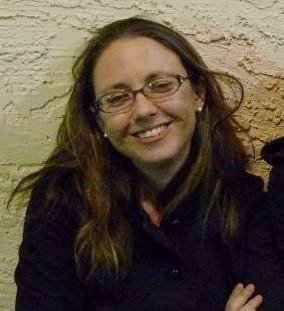
Robyn BergeronBergeron has a long history with Fedora. She's been serving as the Fedora program manager for some time, and headed planning of the Tempe FUDCon in 2011. She's also been heavily active in Fedora marketing, and the Fedora Cloud SIG (special interest group).

Before Fedora, Bergeron had worked as sys admin for Motorola, an industry analyst, and a business analyst at Intel. After Intel, Bergeron says she "segued out" of the industry for about six years to focus on being a mother. "At some point in there, I became more interested in doing things with my spare time. One of the things I got into was editing papers for the Ottawa Linux Symposium. All of that was hosted on Fedora Hosted." From there, Bergeron discovered the Fedora Marketing group in late 2009 and became a more regular Fedora contributor and eventually full-time employee at Red Hat as the program manager.

History of FPL's

According to the job description on the Fedora Wiki, the FPL is "s ultimately accountable for everything that happens within Fedora and in particular is responsible for maintaining Red Hat's relationship with Fedora and vice versa. He/She is Fedora's President, CEO, Chairman, Fearless Leader, whatever-you-want-to-call-it. However the project leader is not a dictator, benevolent or otherwise. The FPL is employed by Red Hat and works with the Fedora Board.

Being FPL is sort of like landing the part of The Doctor in Doctor Who. Each FPL brings a different personality to the role, and each FPL has their own particular talents. Also, the job isn't held too long by any one person, as the FPL usually goes on to new adventures after a few years. (Red Hat says there's no set tenure for an FPL, but it's usually two or three years since Max Spevack held the job during the Fedora 5 through 9 releases.) Sadly, no sonic screwdrivers or time travel are involved.

Smith, the outgoing FPL, started his tenure with the Fedora 14 release. His tenure spanned four releases (partway through F14 and leaving partway through F17). In his announcement, Smith says he's worked hard on international outreach and to get more international representation on the Fedora Board. While Smith was FPL, Fedora also improved the translation system, managed to get Fedora EC2 images up on release days, and more.

Plans for Fedora

So what's Bergeron hoping to do now that she's taking on the FPL role? One big task that Bergeron says she wants to look into is look at community processes and see where they can be streamlined. For example, Bergeron says that she'd like to make it more simple to "on-ramp" new contributors to Fedora.

She also wants to focus on "cleaning up the statistics portion of what we're tracking" to better measure Fedora's progress.

Another goal? Here's where the TARDIS might come in handy, if only they were available. Bergeron says that she'd like to see Fedora 17 (otherwise known as "Beefy Miracle") out the door on time. "But we say that about every release." Nothing has slipped yet for F17, though, so miracles could happen.

The State of Fedora

Overall, how does Bergeron feel about the "state" of Fedora as she takes the FPL role? "I think in terms of community, we are as healthy as we've been in some time." She credited Smith for "good outreach" in Latin America and Asia-Pacific regions, and says she expects that "we'll be seeing more growth."

That's the project side. On the distribution side, Bergeron says that "it's an interesting time." Not just for Fedora, but for "most distros" which Bergeron says are at "an inflection point where we have a lot of new things coming into the marketplace. We have cloud stuff, devices are far more popular than they've ever been... there are a lot of avenues" that Fedora could go down. Where it will go, says Bergeron, will be "determined by the community." However, ARM and cloud technologies seem to loom large in Bergeron's priorities.

One of the big challenges for Fedora in the past year has been the reception of GNOME 3 by the community. Bergeron says that there's been "a little bit of pain there." However, she says that some of the features for GNOME 3.4 that will be in Fedora 17 should help a lot with GNOME 3.x acceptance. "For the most part, people seem a lot happier with it. They're getting over the 'oh my gosh, it's completely new' reaction." And, she says, Fedora still has KDE, Xfce, Lxde and Sugar desktops that "aren't going away, unless people decide they're not going to work on them anymore."

What's her choice of desktop? Right now, she says she's using KDE "and liking it just dandy." She also uses Thunderbird as her email client, and Firefox for Web browsing "though occasionally I will use Chrome as well." And, just in case you're curious, "vi, not Emacs."

Fedora 17 has more than 60 new features coming, and the alpha is due on February 28th. With the Fedora 17 release fast approaching, and Bergeron doing double duty as FPL and program manager during the transition, she'll have her hands full. Let's wish her luck, and here's hoping Beefy Miracle will live up to its name and arrive on time!


busy

Thursday, February 2, 2012

Get Your Embedded Linux On: Join Me at Yocto Project Developer Day

Building an embedded Linux distribution can be a daunting task. From the Board Support Package (BSP) to Kernel configuration, root file system setup and the selection many additional software package there are many choices to make and taking the wrong turn can easily lead to a dead end and many hours of wasted time.

The Yocto Project greatly simplifies this process with a set of proven tools and recipes allowing you to build you own custom Linux distribution tailored to your requirements.

During The Linux Foundation's Embedded Linux Conference at the Hotel Sofitel San Francisco Bay in Redwood Shores from February 15 through 17, you have the unique opportunity to build your competence in embedded Linux and Yocto.

On the day before the conference, February 14, the first-ever Yocto Project Developer Day you will have the opportunity to meet the Yocto Project's supporting organizations and many experts who will be presenting sessions and labs.

Stay a little longer and right after the conference on Saturday/Sunday February 18/19, you can deepen your Yocto knowledge with a 2-day crash course offered by The Linux Foundation.

Join me for two days of hands-on learning fun, building Linux system images to boot in an emulator and on a Beagleboard. First you will get an introduction into the Yocto Project and OpenEmbedded and how they relate. Then we will dive into the Poky Build Process, the core of the Yocto Project, and the Bitbake build orchestrator. You will learn about metadata layers, recipes and classes and how to use them to customize your distribution built by Yocoto.

What will you need? You know your way around on a Linux system and are not afraid of a commnad shell. You can use any of the standard text editors such as vi or emacs. You understand the basics of compiling and linking programs and constructing Makefile.

What to bring? Tag along your laptop with Ubuntu 10.04 LTS 32-bit installed on it. Or alternatively, have VirtualBox 4.1.8 installed on your system. We can provide you with an appliance ready to be imported in VirtualBox.

I am looking forward to seeing you soon in Redwood Shores!